
Packaging requirements by sales channel
The same SKU that sells on Amazon, on a big-box shelf, and straight to a customer's door needs a different package in each place. This is the channel-by-channel map — what each one actually demands, and where to confirm the binding version.
THE SHORT ANSWER
Every channel handles your product differently, so the same SKU needs a different package on each. Amazon FBA and Walmart WFS want a unit that is bagged, sealed, barcoded, and able to survive a fulfillment center. Big-box retail wants a shelf-ready tray that ships hard and opens clean. Direct-to-consumer wants the smallest mailer that arrives intact. The one demand every channel shares is right-sizing.
- FBA / WFS — unit-level prep: bag, seal, barcode, and pack to each program's rules (verify in the portal).
- SIPP / SIOC — the product's own package, certified to ship with no over-box.
- Retail-ready (SRP/PDQ) — a tray or display that survives transit and merchandises in seconds.
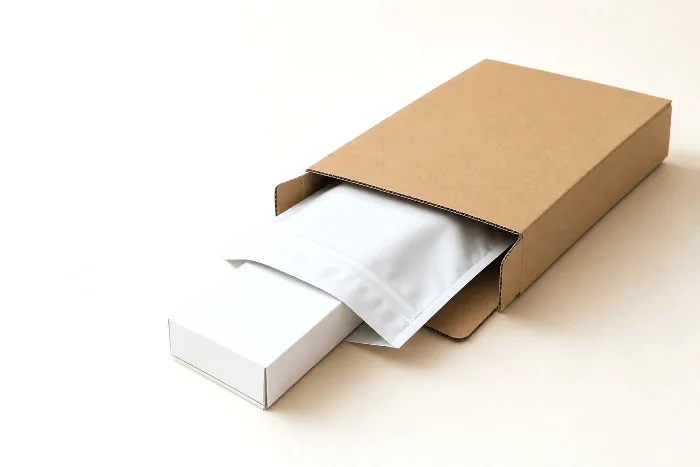
- DTC parcel — a right-sized mailer priced against dimensional weight.
Why the same SKU needs different packaging by channel
A product is a product, but a channel is a set of hands, machines, and rules it has to survive. The same jar of gummies that sells three ways meets a conveyor belt and a tote in one channel, a store stocker in the second, and a delivery van in the third. Each of those wants something different from the package. Design for one and ignore the others and you end up re-bagging pallets in a warehouse, paying to ship air, or watching a display collapse on a truck.
It helps to reduce the world to three archetypes, because almost every marketplace and retailer is a variation on one of them:
- Fulfillment-center channels (Amazon FBA, Walmart WFS). Loose units move through automated facilities, get stored in bins, and are picked one at a time. These channels want each unit individually prepped — bagged or boxed, sealed, protected, and barcoded — so it survives handling and scans reliably.
- Retail (big-box, grocery, club). Product arrives by the case and is merchandised by a person. The winning format is shelf-ready: a tray or display that ships hard, then opens and goes onto the shelf in one motion. The outer has two contradictory jobs — be strong in transit, be easy to open on the floor.
- Direct-to-consumer parcels (your own site, most marketplace self-ship). One trip, one customer. The job is a right-sized mailer or box that protects the product and costs the least to ship — which usually means beating dimensional weight, not just actual weight.
The cost of getting this wrong is rarely the package itself — it's the rework. Units that arrive at a fulfillment center out of spec get re-prepped at a fee, held, or refused. Retail cases that fail a transit test or miss a case-mark rule draw chargebacks. DTC boxes that are two sizes too big quietly overcharge you on every single order. None of those costs show up on the packaging invoice; they show up downstream, which is exactly why they're easy to miss until they're large.
This guide is the pillar for the whole cluster; each channel below has its own deep-dive with the specifics. Think of what follows as the map, and the linked articles as the terrain.
The channel-by-channel matrix
Here is the same product viewed through each channel's lens — what it primarily demands of the package, the testing or labeling it tends to require, and who typically bears the cost. Treat the cost column as directional: the marketplaces publish their own fee schedules, and you should read the current amounts in the portal rather than trust any number quoted secondhand.
| Channel | Primary packaging demand | Testing / labeling | Who pays what |
|---|---|---|---|
| Amazon FBA | Unit-level prep — bagged/boxed, sealed, protected against damage in a bin | FNSKU barcode; poly-bag & suffocation warning where applicable | Seller preps (or pays Amazon's published prep fee — see Seller Central) |
| Amazon SIPP / SIOC | The product's own container ships with no over-box, right-sized | Certified to a transit-test protocol (ISTA-6-Amazon family) | Seller invests in design/testing; Amazon rewards it with lower waste and dimensions |
| Big-box retail-ready | Shelf-ready tray/display — ships hard, opens clean, merchandises fast | Transit testing; retailer artwork, barcode, and case-mark rules | Supplier engineers to the retailer's spec; chargebacks for non-compliance |
| Walmart WFS | Unit-level prep for Walmart's fulfillment network | Item barcode/label, poly-bagging & sealing, carton labeling | Seller preps (or pays published fees — see Walmart Seller Center) |
| DTC parcel | Right-sized mailer/box that survives one trip at lowest ship cost | Carrier packaging guidelines; barcode on the shipping label | You pay freight — dimensional weight makes oversize boxes expensive |
Labeling is its own axis of difference, and it's where teams most often assume too much. A fulfillment channel typically wants its own scannable identifier on the unit (Amazon's FNSKU, Walmart's item barcode), a retail program wants the manufacturer barcode and specific case marks, and a DTC parcel just needs the carrier's shipping label to scan cleanly. The same physical product can therefore carry different barcodes in different channels — and a barcode that scans in one system is not a promise it satisfies another. Confirm the required identifier and its placement per channel; don't inherit it from the last program you set up.
Notice that no single package wins every column. A poly bag that satisfies a fulfillment center is invisible on a retail shelf; a beautiful display tray is a waste of board in a DTC mailer. That tension is the whole reason a growing brand ends up managing a small family of specs rather than one universal box — and why it pays to design that family deliberately instead of discovering it channel by channel.
Right-sizing is the through-line
If there is one packaging habit that pays off on every channel, it is right-sizing — building the package to the product plus the clearance it actually needs, and no more. It is the rare decision with no downside: a smaller, tighter package protects better, costs less to ship, and stacks more efficiently.
On DTC and fulfillment channels, right-sizing is mostly about dimensional weight — carriers bill the greater of actual weight and a volume-based "dim" weight, so empty headspace is money you hand the carrier on every shipment. On retail and inbound-to-warehouse channels, the same discipline shows up as pallet efficiency: how your case pack tiers and stacks decides how many units ride on a pallet and, with it, your Ti-Hi and freight class. Get the outer dimensions to land on clean pallet math and you cut cost at both ends of the journey.
Right-sizing does have a floor: a package can be too small to protect the product, or too light in board to carry the stack above it. The goal is the smallest package that still survives the real-world load — which is a calculation, not a guess. Run your real dimensions through the tools rather than defaulting to a size you already have on the shelf.
Designing one SKU to serve every channel
You will rarely get one package that serves every channel untouched, but you can design a family that shares as much as possible and forks only where a channel forces it. A practical order of operations:
- Start with the primary package. Make the retail-facing unit strong enough, sealed enough, and barcoded enough that it is already close to "prep-ready." A unit that ships and scans on its own needs the least rework downstream.
- Decide the bagging question early. Some units need a poly bag for fulfillment; some don't. If yours does, treat it as a real spec — see Amazon's poly-bag requirements and the suffocation-warning label rules — rather than grabbing whatever bag is on hand.
- Engineer the master carton to do double duty. A well-built case pack can serve as an FBA/WFS inbound box, a retail-ready tray, or a pallet layer. Keep its footprint on tidy pallet math and its board strength honest.
- Right-size the shipper. Whether it's a DTC mailer or an inbound carton, trim the headspace and confirm it lands inside each program's box size and weight limits — see FBA box size & weight limits.
- Prep to the channel, then verify. Work the prep checklist for each destination and confirm every step against the current portal before you print thousands of anything.
The single most common failure mode is doing this in the wrong order — building a pretty retail box first, then discovering it fails fulfillment, then bolting on a poly bag and an over-box that blow up your dimensional weight. Design the shared core first; fork last.
When a channel does force a variant, keep it a variant — a documented delta from the shared core, not a from-scratch redesign. In practice that means one base dieline and spec sheet, with a short list of what changes per channel: the bag or no bag, the identifier and its placement, the outer format, and the pallet pattern. Versioning the family this way keeps reorders honest, makes it obvious what a new channel actually costs to support, and stops small channel-specific tweaks from silently drifting into five incompatible packages.
When you're ready to pressure-test a specific channel, the fastest path is a checklist that walks the unit step by step. Our FBA prep checker does exactly that, and the FBA prep checklist is the written companion. Neither replaces the portal — they get you 90% of the way so the portal check is a confirmation, not a scramble.
The full Channels & Marketplaces library
This pillar stays deliberately high-level. Each channel and requirement below has its own guide with the specifics — and each points you back to the authoritative portal for the binding numbers:
- Amazon FBA packaging requirements, in plain language
- Amazon FBA poly bag requirements, explained
- Suffocation warning label requirements for poly bags
- The Amazon FBA prep checklist
- SIPP & SIOC: designing a box that passes Amazon's tests
- FBA box size and weight limits, explained
- Retail-ready packaging requirements: SRP, PDQ & shelf-ready
- Walmart WFS packaging requirements, explained
How PackOS helps you pack for every channel
PackOS treats a package as a spec, not a picture — so the same detected structure can be evaluated against more than one channel's demands at once. Upload artwork or a die file and it reconstructs the dieline, dimensions the unit and its case pack, and prices it; from there the logistics math — dimensional weight, pallet fit, board to the derated load — falls out of the geometry it already understands. You can see the logistics reasoning on the technology page. The point isn't to replace Amazon's or a retailer's portal — it's to get your spec right and your cost visible before you commit, so the portal check is the last step, not the first surprise. Try it on a real file with Quick Quote.
Frequently asked questions
Why does the same product need different packaging on different channels?
Because each channel handles, stores, and ships the unit differently. Amazon FBA and Walmart WFS put a loose unit through a fulfillment center, so they want it bagged, sealed, and barcoded to survive conveyors and bins. Big-box retail wants a shelf-ready tray a stocker can open and merchandise in seconds. Direct-to-consumer parcels want a right-sized mailer that survives one trip and costs the least to ship. Same product, three different jobs, so three packaging specs.
Do I need a poly bag with a suffocation warning on Amazon FBA?
It depends on the unit and the bag. A commonly published rule is that a poly bag with an opening of five inches or more generally requires a printed suffocation warning, and bagged units usually need to be transparent, sealed, and show a scannable barcode. Treat those as the general shape of the rule and confirm the current wording, thickness, and threshold in Amazon Seller Central before you print, because the specifics can change.
What is the difference between FBA prep, SIOC, and retail-ready packaging?
FBA prep is getting a loose unit ready to enter a fulfillment center by bagging, sealing, protecting, and labeling it. SIOC, or Ships-in-Own-Container, means the product's own package is certified to ship on its own with no extra box. Retail-ready packaging, sometimes called shelf-ready, is a tray or display designed to survive transit and then be opened and merchandised on a shelf. They solve different problems, so a product sold across all three usually needs more than one packaging spec.
Does Walmart WFS use the same packaging rules as Amazon FBA?
They are similar in spirit but not identical. Both are fulfillment programs that want units labeled, bagged or sealed where needed, and packed to survive a warehouse, but the exact labeling, barcode, poly-bag, and box requirements are set by each program separately. Verify Walmart's current rules in Walmart Seller Center and Amazon's in Seller Central rather than assuming one satisfies the other.
Can one packaging design work for every sales channel?
Sometimes, if you design for it from the start. A right-sized primary package that is already sealed, barcoded, and strong enough to ship can serve direct-to-consumer and fulfillment channels with little change, and a well-built master carton can double as a shipper or a retail tray. But retail-ready display requirements and channel-specific labeling often force at least a variant, so plan for a family of specs rather than a single universal box.